For those of you who prefer to watch a video I made on my channel regarding this subject:
Although static site generation (SSG) and server-side rendering (SSR) are great techniques that expedite content delivery to clients, they have their drawbacks. SSG lacks the ability to include dynamic content on a page and SSR loads all JavaScript for a page at once following the initial of the page’s content. Imagine having the ability to determine the order in which each component is hydrated. It seems like the ideal scenario, doesn’t it?
The Islands Architecture
The island architecture offers this flexibility, allowing you to treat every component as if it were a separate page that can be rendered and hydrated at different times based on component importance. It was invented by Etsy’s frontend architect Katie Sylor-Miller in 2019, and expanded on in this post by Preact creator Jason Miller.
Quick Diagram Example:
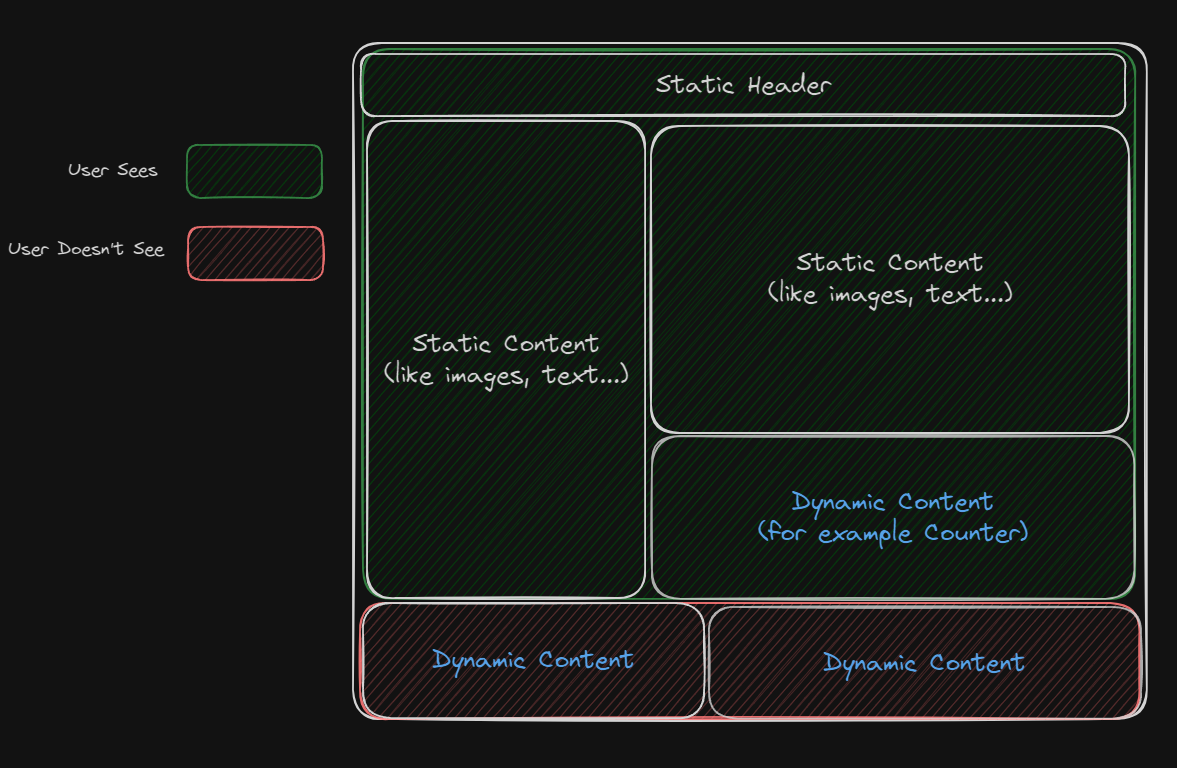
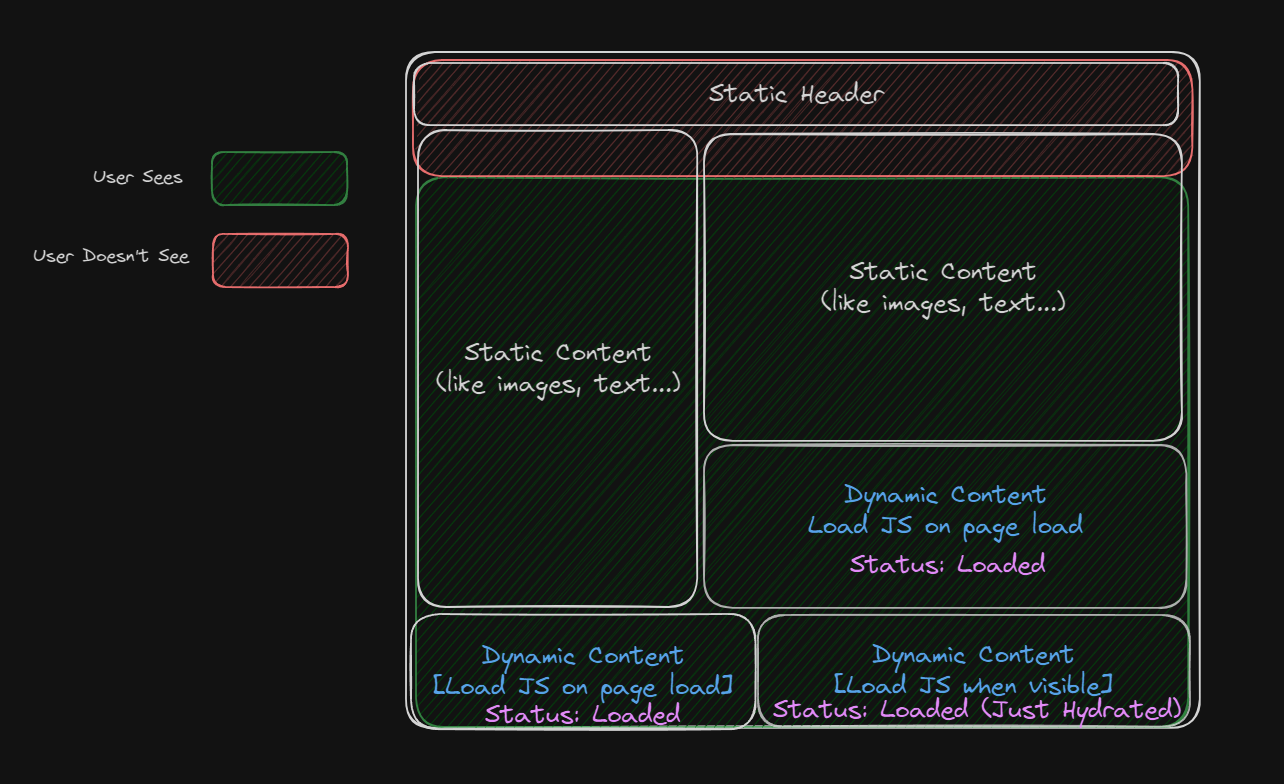
Imagine that this is our page:
 Using the island architecture we could decide that the dynamic components’ JavaScript loads on page load:
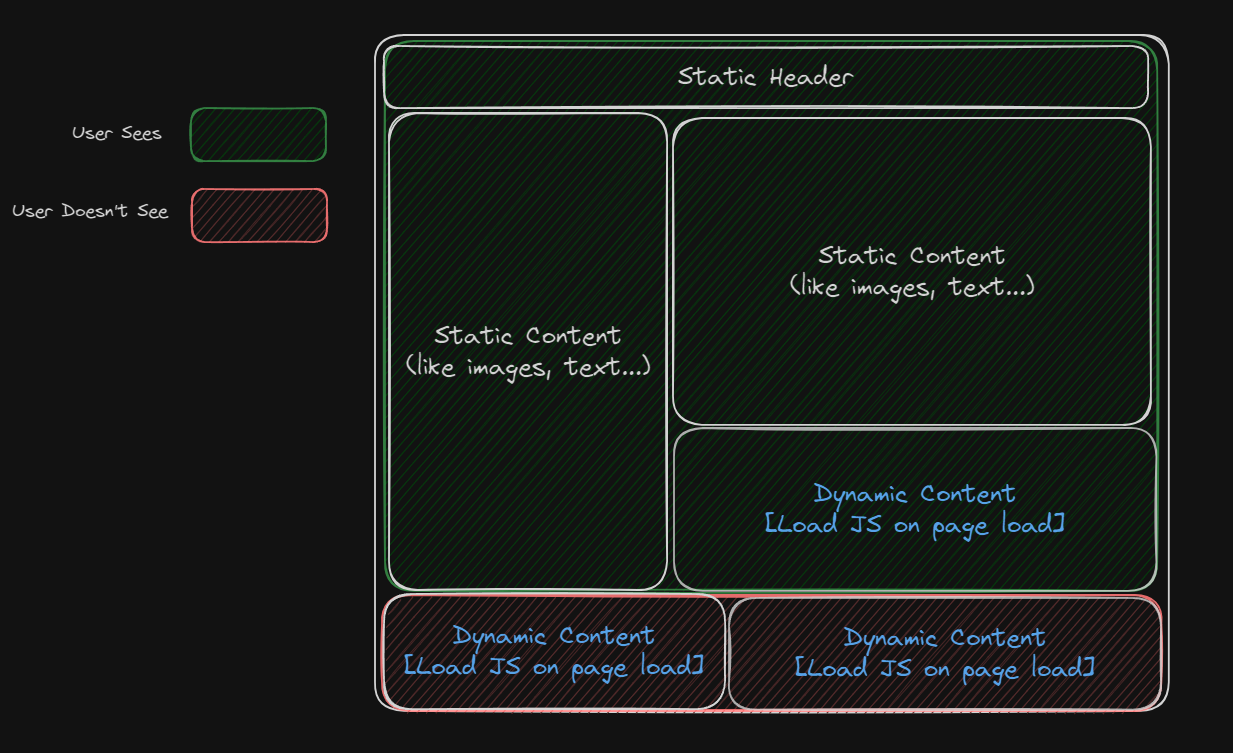 Well, that sounds like SSR so what’s the catch? Notice the changes made to the dynamic components the user doesn’t see. Using this architecture we prioritise the load of JavaScript according to the importance of the component:
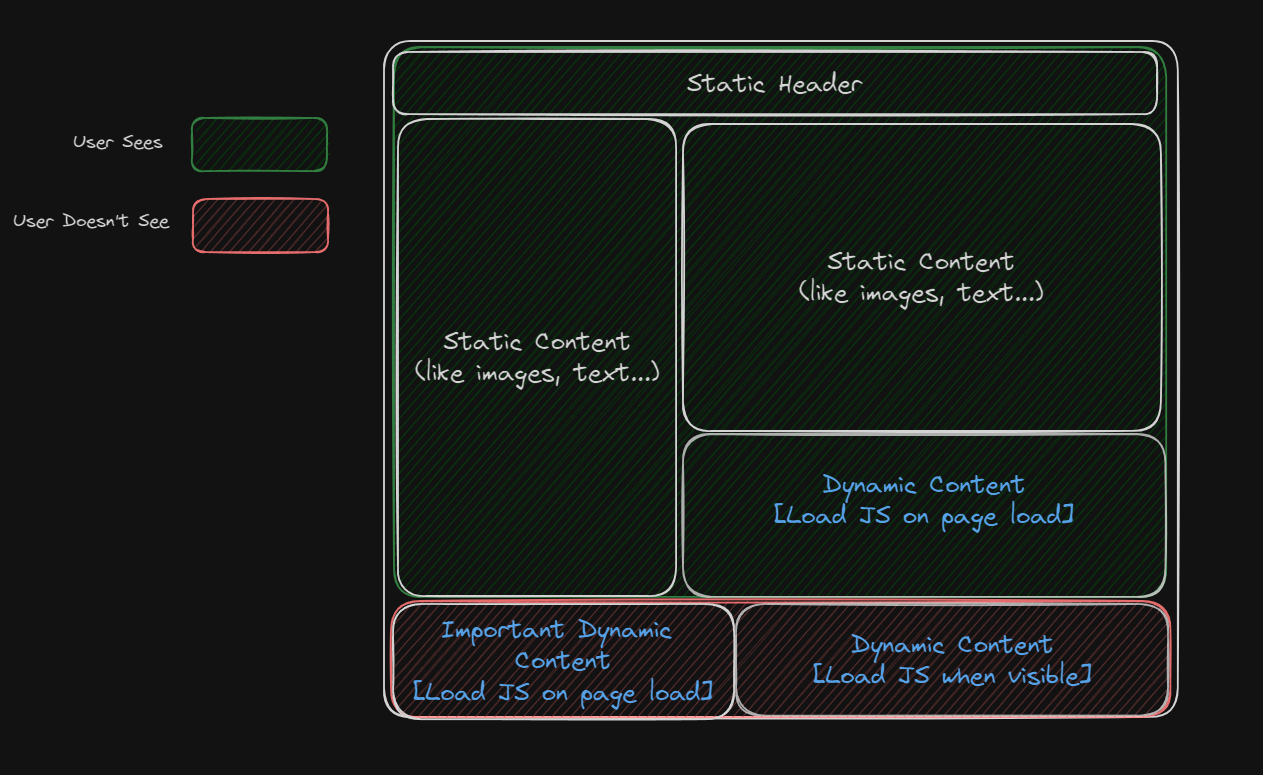 Since the bottom-left component was set to load JavaScript during the page load, its JavaScript is already loaded, unlike the bottom-right component, which is configured to load JavaScript only when the user sees the component:
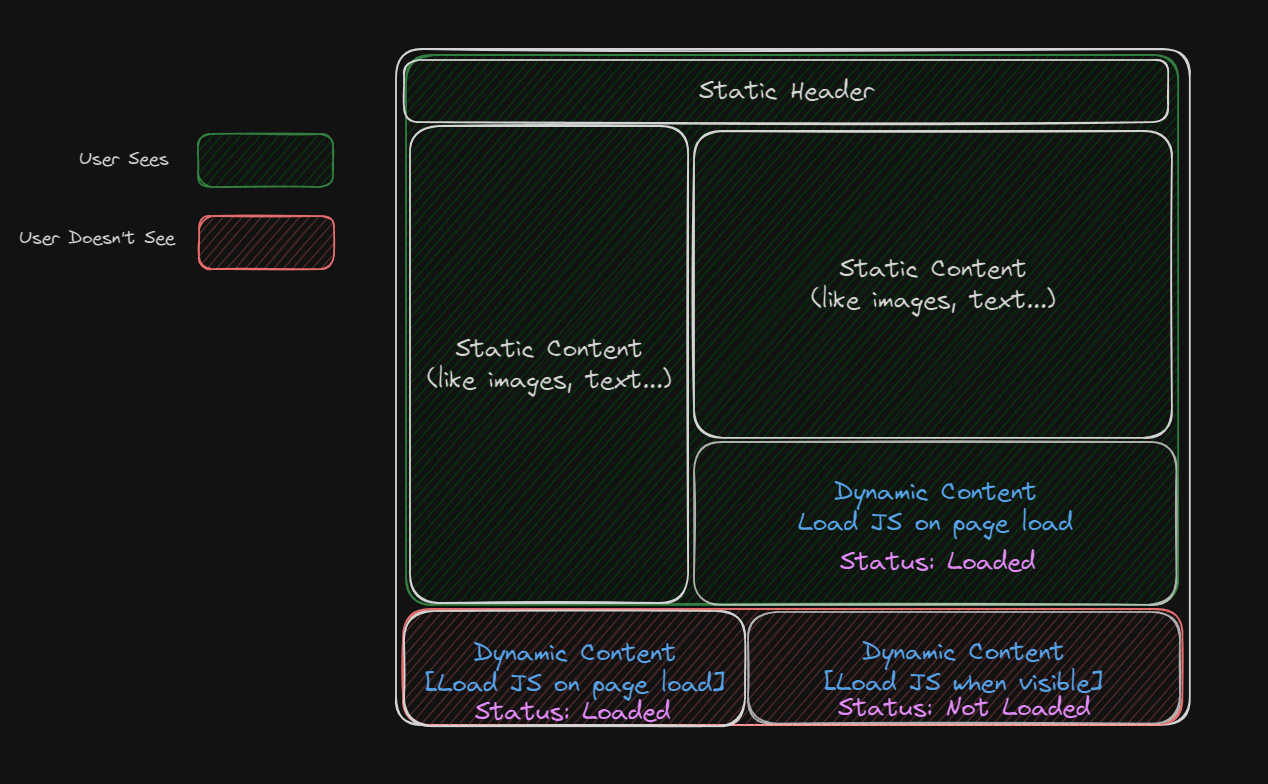 It’s when the user scrolls down and encounters the bottom-right component that its JavaScript is loaded and the component is hydrated:
What frameworks support this architecture?
The island architecture is a relatively recent concept, and only a few frameworks have adopted it. One of the frameworks that supports it is Astro. As I have experienced only with Astro, I will provide an explanation specifically for this framework.
Astro Islands
Astro Islands allows you to determine when a component’s JavaScript file loads by simply adding a client:ONE_OF_FIVE_VALUES field as you can see in the following example:
---
import Counter from "../components/Counter.tsx"
---

<html lang="en">
  <head>
    <meta charset="utf-8" />
    <link rel="icon" type="image/svg+xml" href="/favicon.svg" />
    <meta name="viewport" content="width=device-width" />
    <meta name="generator" content="{Astro.generator}" />
    <title>Astro</title>
  </head>
  <body>
    <h1>Astro</h1>
    <Counter client:idle initNumber="{5}" />
    <Counter client:load initNumber="{5}" />
    <Counter client:media="(max-width: 50em)" initNumber="{5}" />
    <Counter client:only="preact" initNumber="{5}" />
    <Counter client:visible initNumber="{5}" />
  </body>
</html>
In this example, Counter is a dynamic component developed in Preact. It gets initNumber in its props and according to it determines the number the counter should start from. It’s important to observe that we load the Counter component in various ways, although this practice should not be used in a production code; it is solely for demonstration purposes. Each of the “client:ONE_OF_FIVE_VALUES” attributes should be utilized in distinct scenarios, and you can acquire more information about their usage here.
If you wish to explore a more comprehensive guide on Astro Islands, you can refer to the video above, which provides a complete example utilizing the Counter component.